Session Management and Auto-Login
Smooth Spins keeps your session active during a browser visit. If you close the tab and return within a short period, you may still be logged in depending on your browser settings. Clearing cookies or using private/incognito mode will require a fresh login every time.
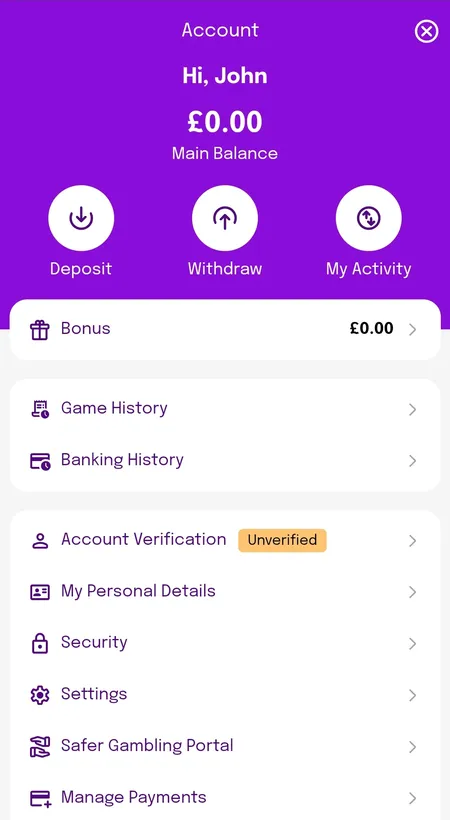
On the mobile PWA, sessions tend to persist longer - useful if you play regularly. For shared devices, always use the 'Log Out' button to close your session properly. The logout option is found inside the account menu, typically in the top-right corner once signed in.
After Login: What You Can Access
Once signed in, your account dashboard gives you access to:
- Main Balance and separate Bonus Balance
- Deposit and Withdraw buttons
- Game History and Banking History
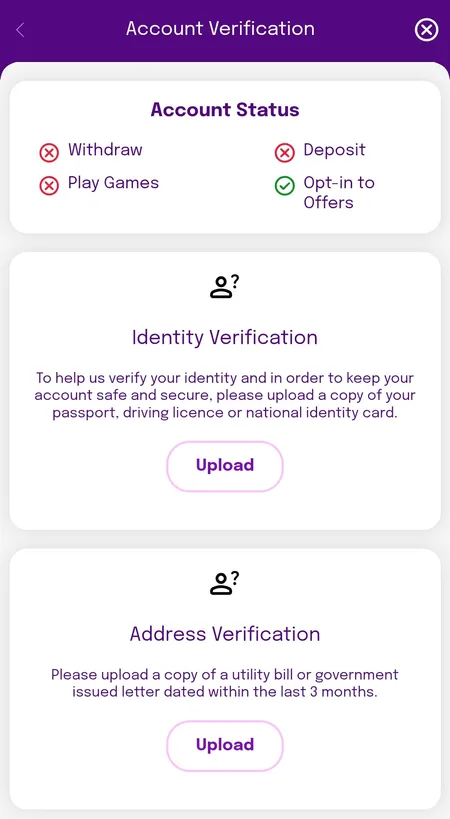
- Account Verification status (shows orange 'Unverified' badge if KYC is incomplete)
- Personal Details and Security settings
- Safer Gambling Portal with deposit limits and self-exclusion tools
- Active bonuses and wagering progress
If your account shows 'Information Required' in an orange banner at the top, complete the KYC verification before attempting a withdrawal. The KYC process involves uploading a passport or driving licence plus a proof of address document dated within the last 3 months.